

High Performance GPU VPS Servers in India
Unleash NVIDIA A100, V100, A16, and Quadro GPU servers for AI training, deep learning, LLM inference, Stable Diffusion, 3D rendering, and scientific computing. Hosted in India for North East India teams — low latency, 24/7 support, instant provisioning.
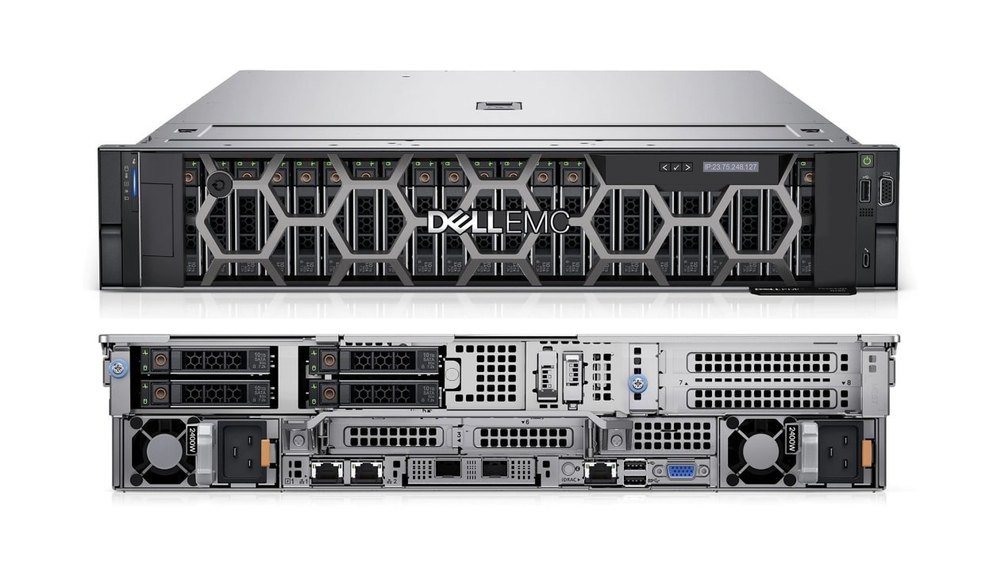
Accelerate AI, Rendering & Scientific Computing with GPU VPS India
Connect Quest delivers enterprise NVIDIA GPU cloud servers for every AI and compute workload
Connect Quest's GPU VPS India platform puts enterprise-grade NVIDIA GPU compute in the hands of AI researchers, developers, data scientists, and creative studios across North East India. Whether you need an NVIDIA A100 GPU server for LLM training, a Tesla V100 for deep learning, an NVIDIA A16 for virtual desktop workloads, or a Quadro P1000 for CAD and rendering — we have a GPU plan matched to your exact workload and budget. All servers are hosted in India for minimal latency, configured with NVMe SSD storage, 1 Gbps network, and full root access.
Unlike AWS GPU Instances, Lambda Labs, or RunPod which route through foreign data centers, our India-hosted GPU servers deliver low-latency connectivity for teams in Guwahati, Shillong, Imphal, Agartala, and across the eight North East Indian states — translating directly to faster training iterations, faster model inference, and faster creative rendering pipelines. Explore our client case studies or software licensing solutions for related infrastructure.
9
GPU Server Plans
4×A100
Max GPU Config
10+
Years of Hosting
8
NE States Covered
GPU Cloud Infrastructure for Artificial Intelligence and Machine Learning
How NVIDIA GPU servers accelerate deep learning, neural networks, and AI inference pipelines
Deep Learning
GPU-parallel matrix operations accelerate forward and backward passes across neural network layers by up to 100× versus CPU-only training.
PyTorch · TensorFlow · JAXNeural Network Training
Train CNNs, RNNs, Transformers, and diffusion models on dedicated GPU VRAM — CUDA and cuDNN optimised kernels maximise throughput.
CUDA · cuDNN · NCCLAI Inference Pipelines
Deploy trained models for real-time inference with low latency using TensorRT, ONNX Runtime, or HuggingFace Inference Endpoints on GPU.
TensorRT · ONNX · HuggingFaceML Research
Run hyperparameter sweeps, ablation studies, and experiment tracking at scale with multi-GPU parallelism using PyTorch DDP or JAX pmap.
JAX · W&B · MLflowGPU VPS Servers for Every AI Framework
Connect Quest GPU servers are pre-configured and compatible with all major AI and ML frameworks
PyTorch GPU Server India
PyTorch's CUDA backend maps directly to NVIDIA GPU compute. Use torch.cuda.is_available(), DataParallel, and DistributedDataParallel across multiple GPU instances. Connect Quest GPU VPS servers support PyTorch 2.x, CUDA 11/12, and cuDNN 8 out of the box — ideal for research, fine-tuning, and production model training.
TensorFlow GPU Server India
TensorFlow's GPU acceleration leverages CUDA and cuDNN for automatic kernel dispatch. Run TF2 eager execution or graph-mode training with tf.device('/GPU:0'), Keras mixed precision, and tf.distribute strategies for multi-GPU workloads on Connect Quest infrastructure.
JAX GPU Server for AI Research
Google JAX's jit, vmap, and pmap primitives compile to XLA kernels that run natively on NVIDIA GPUs. JAX is the framework of choice for modern AI research at DeepMind, Google Brain, and academic labs — all supported on Connect Quest GPU VPS.
CUDA & cuDNN Workloads
Write custom CUDA kernels, use cuBLAS for linear algebra, cuFFT for signal processing, and cuDNN for deep learning primitives. Connect Quest GPU VPS provides full CUDA toolkit access with root privileges — enabling custom C++ / CUDA extensions for PyTorch or TensorFlow.
Keras & HuggingFace on GPU
Keras provides a high-level API over TensorFlow and JAX. HuggingFace Transformers and Diffusers libraries run with GPU acceleration using model.to("cuda") — enabling fine-tuning of BERT, GPT-2, LLaMA, Stable Diffusion, and Whisper models on Connect Quest GPU cloud.
Distributed GPU Training
Scale training across multiple GPUs using PyTorch NCCL, Horovod, or DeepSpeed. Connect Quest's multi-GPU plans (GPUVPS8: 2×A100, GPUVPS9: 4×A100) support NVLink-class inter-GPU communication for large model training requiring model and tensor parallelism.
AI Framework Compatibility Matrix
| Framework | GPU Acceleration | Primary Use Case | Recommended Plan | Connect Quest Support |
|---|---|---|---|---|
| PyTorch | CUDA 11/12, cuDNN | Deep learning, LLM fine-tuning | GPUVPS3 – GPUVPS9 | ✔ Full |
| TensorFlow 2.x | CUDA, cuDNN, XLA | Neural networks, production ML | GPUVPS3 – GPUVPS9 | ✔ Full |
| JAX | XLA → CUDA | AI research, custom kernels | GPUVPS5 – GPUVPS9 | ✔ Full |
| HuggingFace | CUDA via PyTorch/TF | LLM training & inference | GPUVPS7 – GPUVPS9 | ✔ Full |
| Keras | CUDA via TF backend | Rapid model prototyping | GPUVPS2 – GPUVPS7 | ✔ Full |
| CUDA / cuDNN | Native NVIDIA | Custom kernels, HPC | All plans | ✔ Full |
| ONNX Runtime | CUDA EP | Model deployment, inference | GPUVPS1 – GPUVPS7 | ✔ Full |
| DeepSpeed | CUDA, NVLink | Billion-parameter training | GPUVPS8 – GPUVPS9 | ✔ Full |
GPU Servers for Training & Deploying AI Models
GPU memory, VRAM, and compute requirements for the most widely used AI models — matched to Connect Quest GPU plans
LLaMA & Mistral — LLM Training
LLaMA 2 7B requires ~28GB VRAM for FP16 training; LLaMA 2 70B requires multi-GPU NVLink configurations. Mistral 7B is efficient at 14–28GB VRAM. Use GPUVPS7–GPUVPS9 for LLM training workloads.
GPUVPS7 · GPUVPS8 · GPUVPS9Stable Diffusion — Image AI
Stable Diffusion 1.5 runs on 4–6GB VRAM; SDXL requires 8–12GB. Fine-tuning with DreamBooth or LoRA needs 16–24GB. GPUVPS2 (16GB A16) through GPUVPS7 (80GB A100) cover all SD workloads.
GPUVPS2 · GPUVPS3 · GPUVPS7Whisper AI — Speech Recognition
OpenAI Whisper large-v3 uses 5–10GB VRAM for inference. Batch transcription of audio at scale benefits from A16 or V100 GPU servers. GPUVPS2–GPUVPS4 offer ideal price-performance for Whisper deployments.
GPUVPS2 · GPUVPS3 · GPUVPS4YOLO — Computer Vision
YOLOv8 and YOLOv9 training requires 8–16GB VRAM depending on model size and batch size. Real-time video inference runs efficiently on Quadro P1000 or A16. Training custom YOLO models suits GPUVPS2–GPUVPS5.
GPUVPS1 · GPUVPS2 · GPUVPS5BERT & Transformers — NLP
BERT-base fine-tuning requires 8–16GB VRAM. BERT-large and RoBERTa-large need 24–32GB. Training custom NLP transformers from scratch requires V100 or A100 class GPUs for reasonable throughput.
GPUVPS3 · GPUVPS5 · GPUVPS7GAN & Diffusion Models
StyleGAN3 and other high-resolution GAN training requires 16–32GB VRAM and substantial compute time. Diffusion model training (DiT, ControlNet) benefits from A100's FP16 Tensor Core acceleration at 312 TFLOPs.
GPUVPS5 · GPUVPS7 · GPUVPS8GPU Server Workloads — Complete Directory
Every GPU compute use case supported on Connect Quest India GPU VPS infrastructure
GPU Server for PyTorch Training
Run PyTorch model training with CUDA-accelerated tensor operations. Supports DataParallel, DistributedDataParallel, and mixed-precision FP16/BF16 training across all NVIDIA GPU plans.
GPU Server for TensorFlow Training
TensorFlow GPU execution with automatic kernel placement, XLA JIT compilation, and tf.distribute strategies for multi-GPU training on V100 and A100 server plans.
GPU Server for Stable Diffusion
Generate images with SD 1.5, SDXL, ControlNet, and custom LoRA/DreamBooth fine-tunes. Run Automatic1111 WebUI or ComfyUI on A16 or A100 GPU plans with full root access.
GPU Server for LLM Training
Fine-tune or train large language models using HuggingFace Transformers, DeepSpeed ZeRO, and PEFT techniques (LoRA, QLoRA) on multi-GPU A100 configurations for billion-parameter models.
GPU Server for Computer Vision
Train object detection (YOLO, Faster R-CNN), image segmentation (Mask R-CNN, SAM), and image classification models on GPU with OpenCV, torchvision, and Detectron2 frameworks.
GPU Server for Speech Recognition
Deploy Whisper, wav2vec2, and custom ASR models for batch audio transcription. GPU-accelerated speech processing is 10–50× faster than CPU for large-scale audio workloads.
GPU Server for Reinforcement Learning
Train RL agents with OpenAI Gym, stable-baselines3, and RLlib using GPU-accelerated neural network policy and value function approximators. Supports parallelised environment rollouts.
GPU Server for Video AI Processing
Run real-time video analytics, object tracking, action recognition, and video diffusion models using NVIDIA CUDA video decode (NVDEC) and GPU-accelerated OpenCV pipelines.
GPU Server for NLP Models
Fine-tune BERT, RoBERTa, T5, and GPT models for text classification, NER, summarisation, and translation tasks using HuggingFace Transformers with GPU mixed-precision training.
GPU Server for AI Inference Pipelines
Deploy production inference with TensorRT, ONNX Runtime GPU, Triton Inference Server, and vLLM for high-throughput, low-latency serving of LLMs and vision models.
GPU Server for Game AI & Simulation
Run physics simulations, game AI training (MuJoCo, Isaac Gym), and generative game content pipelines on dedicated GPU VPS with CUDA support.
GPU Server for Data Science & Analytics
Accelerate pandas, NumPy, and scikit-learn workloads with RAPIDS cuDF, cuML, and cuGraph — GPU-native data science tools that achieve 10–100× speedups on large datasets.
GPU VPS Solutions for Advanced Workloads
Leverage our NVIDIA GPU VPS servers for high-performance applications in North East India
AI and Machine Learning
Train complex AI models with NVIDIA GPUs for faster processing and superior accuracy. Supports PyTorch, TensorFlow, JAX, and all CUDA workloads.
3D Rendering and VFX
Render high-quality graphics and visual effects with NVIDIA Quadro and Tesla GPUs — Blender, Unreal Engine, Maya, and Cinema4D ready.
Scientific Computing
Run simulations, molecular dynamics, finite element analysis, and data analysis with high-performance GPU acceleration.
Virtual Workstations
Power remote GPU workstations for design, engineering, and creative tasks using NVIDIA Quadro GPU VPS with NVIDIA Grid support.
Data Analytics
Process large datasets with GPU-accelerated analytics using RAPIDS cuDF and cuML for real-time insights at scale.
Video Processing
Encode, transcode, and stream high-resolution video with low latency using NVIDIA NVDEC/NVENC GPU acceleration.
GPU VPS Server Pricing India
Choose the right NVIDIA GPU plan for your AI training, rendering, or data science workload
GPUVPS1
Setup Fee: ₹0.00
- Intel XEON Processor
- Dedicated 12 Cores
- 64 GB DDR4 RAM
- NVIDIA Quadro P1000 4GB GDDR5
- 480 GB NVME SSD Storage
- Windows Server 2022/2019/2016 Free Including Multiple Linux Distros Options
- True 1 GBPS Network
- Unlimited Bandwidth
- 24 x 7 Support
GPUVPS2
Setup Fee: ₹0.00
- Intel XEON Processor
- Dedicated 8 Cores
- 64 GB DDR4 RAM
- 16 GB NVIDIA A16 GPU
- 250 GB NVME SSD Storage
- Windows Server 2022/2019/2016 Free Including Multiple Linux Distros Options
- True 1 GBPS Network
- Unlimited Bandwidth
- 24 x 7 Support
GPUVPS3
Setup Fee: ₹0.00
- Intel XEON Processor
- Dedicated 16 Cores
- 128 GB DDR4 RAM
- NVIDIA 32GB Tesla V100
- 500 GB NVME SSD Storage
- Windows Server 2022/2019/2016 Free Including Multiple Linux Distros Options
- True 1 GBPS Network
- Unlimited Bandwidth
- 24 x 7 Support
GPUVPS4
Setup Fee: ₹0.00
- EPYC 7282 Processor
- Dedicated 16 Cores
- 64 GB DDR4 RAM
- NVIDIA 64GB A16
- 768 GB NVME SSD Storage
- Windows Server 2022/2019/2016 Free Including Multiple Linux Distros Options
- True 1 GBPS Network
- Unlimited Bandwidth
- 24 x 7 Support
GPUVPS5
Setup Fee: ₹0.00
- Intel XEON Processor
- Dedicated 32v Cores
- 128 GB DDR4 RAM
- NVIDIA 32 GB Tesla V100
- 768 GB NVME SSD Storage
- Windows Server 2022/2019/2016 Free Including Multiple Linux Distros Options
- True 1 GBPS Network
- Unlimited Bandwidth
- 24 x 7 Support
GPUVPS6
Setup Fee: ₹0.00
- EPYC 7282 Processor
- Dedicated 32 Cores
- 256 GB DDR4 RAM
- NVIDIA 32 GB A16
- 1800 GB NVME SSD Storage
- Windows Server 2022/2019/2016 Free Including Multiple Linux Distros Options
- True 1 GBPS Network
- Unlimited Bandwidth
- 24 x 7 Support
GPUVPS7
Setup Fee: ₹0.00
- Intel XEON Processor
- Dedicated 16v Cores
- 110 GB DDR4 RAM
- NVIDIA 80 GB A100 GPU
- 1500 GB NVME SSD Storage
- Windows Server 2022/2019/2016 Free Including Multiple Linux Distros Options
- True 1 GBPS Network
- Unlimited Bandwidth
- 24 x 7 Support
GPUVPS8
Setup Fee: ₹0.00
- Intel XEON Processor
- Dedicated 32v Cores
- 224 GB DDR4 RAM
- NVIDIA 2 x 80 GB A100 GPU
- 3000 GB NVME SSD Storage
- Windows Server 2022/2019/2016 Free Including Multiple Linux Distros Options
- True 1 GBPS Network
- Unlimited Bandwidth
- 24 x 7 Support
GPUVPS9
Setup Fee: ₹0.00
- Intel XEON Processor
- Dedicated 64v Cores
- 460 GB DDR4 RAM
- NVIDIA 4 x 80 GB A100 GPU
- 6000 GB NVME SSD Storage
- Windows Server 2022/2019/2016 Free Including Multiple Linux Distros Options
- True 1 GBPS Network
- Unlimited Bandwidth
- 24 x 7 Support
GPU Configuration Finder for AI Workloads
Find the right NVIDIA GPU plan based on your specific AI, rendering, or data science workload requirements
| Workload | Recommended GPU | VRAM | System RAM | Storage | Connect Quest Plan |
|---|---|---|---|---|---|
| Stable Diffusion inference | NVIDIA Quadro P1000 | 4GB GDDR5 | 64GB | 480GB NVMe | GPUVPS1 → |
| YOLO / CV inference | NVIDIA A16 16GB | 16GB | 64GB | 250GB NVMe | GPUVPS2 → |
| BERT / Whisper training | NVIDIA Tesla V100 32GB | 32GB HBM2 | 128GB | 500GB NVMe | GPUVPS3 → |
| Data science / RAPIDS | NVIDIA A16 64GB | 64GB | 64GB | 768GB NVMe | GPUVPS4 → |
| Stable Diffusion fine-tuning | NVIDIA Tesla V100 32GB | 32GB HBM2 | 128GB | 768GB NVMe | GPUVPS5 → |
| 3D rendering / VFX | NVIDIA A16 32GB | 32GB | 256GB | 1800GB NVMe | GPUVPS6 → |
| LLM training (7B–13B) | NVIDIA A100 80GB | 80GB HBM2e | 110GB | 1500GB NVMe | GPUVPS7 → |
| LLM training (30B–65B) | 2× NVIDIA A100 80GB | 160GB total | 224GB | 3000GB NVMe | GPUVPS8 → |
| LLM training (70B+) / Cluster AI | 4× NVIDIA A100 80GB | 320GB total | 460GB | 6000GB NVMe | GPUVPS9 → |
GPU Hardware Architecture Guide
Understanding NVIDIA GPU compute for AI training, rendering, and scientific workloads
NVIDIA A100 80GB
The industry benchmark for large-scale AI training. Features 6,912 CUDA cores, 432 Tensor Cores (3rd gen), 80GB HBM2e VRAM, and 2TB/s memory bandwidth. Delivers 312 TFLOPS FP16 — purpose-built for LLM training, diffusion model fine-tuning, and multi-GPU inference clusters.
- 6912 CUDA Cores
- 80GB HBM2e VRAM
- 312 TFLOPs FP16
- NVLink + PCIe 4.0
- CUDA 12 / cuDNN 8
NVIDIA Tesla V100 32GB
Volta architecture with 5,120 CUDA cores and 640 Tensor Cores delivers 125 TFLOPS FP16. The 32GB HBM2 configuration handles BERT-large, GPT-2 XL, and large computer vision models with ease — industry-proven for research and production ML pipelines.
- 5120 CUDA Cores
- 32GB HBM2 VRAM
- 125 TFLOPs FP16
- 900 GB/s Bandwidth
- Tensor Core FP16
NVIDIA A16 GPU
The A16 packs four Ampere GA102 GPUs on a single card providing 64GB total GDDR6 VRAM — ideal for virtual GPU workstations, mid-scale AI inference, and data science workloads. Available in 16GB and 64GB configurations across Connect Quest plans.
- 4× Ampere GA102
- 16–64GB GDDR6
- NVIDIA vGPU support
- Virtual Workstations
- AI inference ready
NVIDIA Quadro P1000
The Quadro P1000 provides 640 CUDA cores and 4GB GDDR5 VRAM — the ideal entry point for Stable Diffusion inference, CAD visualization, virtual desktop GPUs, and lightweight ML inference. Cost-effective for teams beginning their GPU cloud journey.
- 640 CUDA Cores
- 4GB GDDR5 VRAM
- CAD / VDI ready
- OpenGL / DirectX
- SD 1.5 inference
GPU Infrastructure for Rendering, VFX & Creative Studios
Professional GPU render farms and visual effects pipelines on Connect Quest India GPU VPS
Creative studios, VFX houses, and architectural visualization firms across Guwahati, Shillong, and North East India are adopting GPU cloud rendering to eliminate the cost and maintenance burden of on-site render farms. Connect Quest GPU VPS servers offer dedicated NVIDIA GPU nodes that power Blender Cycles, Unreal Engine Lumen, Autodesk Maya Arnold, and Cinema4D Redshift renders — accessible remotely from any location.
Blender Cycles GPU Rendering
Blender's Cycles renderer natively supports CUDA and OptiX GPU backends. A single NVIDIA A100 completes in minutes what would take hours on CPU — enabling iterative creative workflows.
Unreal Engine & Lumen
Unreal Engine 5's Lumen global illumination and Nanite virtualized geometry require powerful GPU compute. Pixel streaming and remote rendering on Connect Quest GPU VPS enables cloud-based Unreal workflows.
Autodesk Maya & Arnold
Autodesk Arnold GPU renderer leverages CUDA for physically-based rendering at production quality. Maya batch rendering on a dedicated GPU VPS eliminates workstation bottlenecks for animation studios.
Cinema4D & Redshift
Maxon's Redshift is a GPU-accelerated renderer for Cinema4D offering biased rendering at unparalleled speed. Connect Quest GPU plans from GPUVPS3 through GPUVPS7 are ideal for Redshift production rendering.
Unity GPU Rendering & Game Dev
Unity's High Definition Render Pipeline (HDRP) and Universal Render Pipeline (URP) leverage GPU compute for real-time cinematic visuals. GPU VPS supports Unity Editor GPU acceleration and cloud build pipelines.
GPU Render Farm Clusters
Scale rendering workloads across multiple GPU VPS nodes — GPUVPS7, GPUVPS8, and GPUVPS9 — to run parallel render tasks, dramatically reducing total frame render time for animation and VFX productions.
Video Encoding & Transcoding
NVIDIA NVENC and NVDEC hardware acceleration enables GPU-accelerated video encoding at 5–10× CPU speeds. Transcode 4K/8K video, encode H.264/H.265/AV1, and process large video batches with minimal CPU load.
GPU Servers for Data Science & Big Data Analytics
GPU-accelerated data science with RAPIDS, cuDF, cuML, and Spark GPU on Connect Quest
Traditional data science on CPU with Pandas and NumPy hits hard limits as dataset sizes grow into the tens and hundreds of gigabytes. NVIDIA's RAPIDS suite — including cuDF (GPU DataFrame), cuML (GPU machine learning), and cuGraph (GPU graph analytics) — delivers identical Pandas/scikit-learn APIs with 10–100× GPU acceleration. Connect Quest GPU VPS India servers with A16 and A100 GPUs are ideal platforms for data science teams processing large datasets in Guwahati, Shillong, and across North East India.
RAPIDS cuDF — GPU DataFrames
Drop-in replacement for pandas that runs on GPU. Load CSV, Parquet, and JSON datasets directly to GPU VRAM and perform groupby, merge, and transformation operations at GPU speed.
cuML — GPU Machine Learning
RAPIDS cuML provides GPU-accelerated implementations of scikit-learn algorithms: random forest, XGBoost, k-means, PCA, UMAP, and more — achieving 10–50× speedups on large datasets.
Spark GPU Acceleration
Apache Spark with RAPIDS Accelerator for Apache Spark moves ETL and ML pipeline execution from CPU to GPU — dramatically cutting data processing pipeline runtimes for large-scale analytics.
Data Science Tools Supported
| Tool | GPU Acceleration |
|---|---|
| Python / NumPy | CuPy GPU arrays |
| Pandas | cuDF replacement |
| scikit-learn | cuML replacement |
| XGBoost | CUDA native |
| LightGBM | CUDA native |
| Apache Spark | RAPIDS plugin |
| Jupyter Notebook | GPU kernel |
| Dask | GPU scheduler |
AI Developer Ecosystem on Connect Quest GPU Servers
Every modern AI development and deployment tool runs on Connect Quest GPU VPS infrastructure
LangChain on GPU VPS
LangChain applications backed by local LLMs (Ollama, vLLM, llama.cpp) run significantly faster on GPU. Build RAG pipelines, AI agents, and document Q&A systems with local GPU-accelerated LLMs.
RAG · LLM Agents · Local AIKubeflow ML Pipelines
Kubeflow's ML pipeline orchestration runs training, evaluation, and deployment stages on GPU nodes. Connect Quest GPU VPS instances can serve as Kubeflow compute nodes for end-to-end ML automation.
MLOps · Pipeline OrchestrationRay AI Distributed Computing
Ray and Ray Tune enable distributed hyperparameter tuning and reinforcement learning across GPU nodes. Run parallel training experiments across multiple Connect Quest GPU VPS instances simultaneously.
Distributed · Ray Tune · RLlibFastAPI AI Model Serving
Build high-performance model serving APIs with FastAPI backed by GPU-accelerated inference. Serve PyTorch or TensorFlow models via REST API with low-latency responses from India-hosted GPU infrastructure.
Model Serving · REST API · GPUOllama — Local LLM Server
Ollama runs LLaMA 3, Mistral, Phi-3, and Gemma models locally on GPU. On a Connect Quest A100 GPU VPS, Ollama delivers near-real-time token generation for private, locally-hosted AI applications.
Private LLM · LLaMA · MistralvLLM High-Throughput Inference
vLLM's PagedAttention algorithm enables high-throughput LLM serving with continuous batching. Connect Quest A100 GPU VPS handles hundreds of concurrent inference requests for production AI applications.
High-Throughput · PagedAttentionHow to Use Connect Quest GPU VPS for AI Workloads
Step-by-step tutorials for common AI and deep learning tasks on Connect Quest GPU servers
How to Train PyTorch Models on GPU VPS
- Order your GPU VPS plan and receive SSH credentials via email
- SSH into server:
ssh root@your-gpu-server-ip - Install CUDA toolkit:
apt install nvidia-cuda-toolkit - Create Python venv:
python3 -m venv ai_env && source ai_env/bin/activate - Install PyTorch:
pip install torch torchvision --index-url https://download.pytorch.org/whl/cu121 - Verify GPU:
python -c "import torch; print(torch.cuda.is_available())" - Upload your training script via SCP and run:
python train.py --device cuda
How to Run Stable Diffusion on GPU Cloud
- Order GPUVPS2 (A16 16GB) or higher for SDXL; GPUVPS1 for SD 1.5
- Clone Automatic1111:
git clone https://github.com/AUTOMATIC1111/stable-diffusion-webui - Install dependencies:
cd stable-diffusion-webui && pip install -r requirements.txt - Launch with remote access:
python launch.py --listen --port 7860 - Access WebUI via browser at
http://your-gpu-server-ip:7860 - Download models to
/models/Stable-diffusion/and start generating
How to Deploy TensorFlow Models on GPU Server
- Provision GPU VPS and connect via SSH
- Install TensorFlow GPU:
pip install tensorflow[and-cuda] - Verify GPU detection:
python -c "import tensorflow as tf; print(tf.config.list_physical_devices('GPU'))" - Train model with device placement:
with tf.device('/GPU:0'): model.fit(...) - Export SavedModel:
model.save('my_model') - Serve via TF Serving Docker:
docker run -p 8501:8501 -v ./my_model:/models/my_model tensorflow/serving
How to Train YOLO on GPU Infrastructure
- Order GPUVPS2 (A16 16GB) or higher for YOLO training
- Install Ultralytics:
pip install ultralytics - Prepare dataset in YOLO format (images + labels + data.yaml)
- Upload dataset via SCP or rsync to GPU server
- Start training:
yolo detect train data=data.yaml model=yolov8n.pt epochs=100 device=0 - Monitor training with TensorBoard:
tensorboard --logdir runs/detect/train - Export trained model:
yolo export model=best.pt format=onnx
GPU Performance Benchmarks & Training Time Comparisons
Real-world AI training and inference performance across Connect Quest NVIDIA GPU plans
~3 hrs
BERT-base fine-tune on A100 (vs 48hrs CPU)
~2 sec
SD 1.5 image generation on A16 GPU
100×
cuDF vs Pandas on 10GB dataset
312 TF
A100 peak FP16 tensor core throughput
| Benchmark | Quadro P1000 | Tesla V100 32GB | A100 80GB |
|---|---|---|---|
| BERT-base fine-tune (1 epoch, batch 32) | ~24 hrs | ~5 hrs | ~3 hrs |
| Stable Diffusion 1.5 (512×512, 50 steps) | ~8 sec | ~2.5 sec | ~1.2 sec |
| YOLOv8n training (100 epochs, COCO) | ~8 hrs | ~2 hrs | ~1 hr |
| ResNet-50 training (ImageNet, 1 epoch) | ~4 hrs | ~45 min | ~20 min |
| LLaMA 7B inference (tokens/sec) | ~8 tok/s | ~40 tok/s | ~120 tok/s |
| cuDF groupby 10GB CSV | N/A | ~0.4 sec | ~0.2 sec |
* Approximate benchmarks. Actual performance varies by model architecture, batch size, precision settings, and system RAM.
GPU VPS vs Local GPU Workstation
Why Connect Quest GPU cloud servers beat on-premise hardware for AI teams in North East India
| Feature | Connect Quest GPU VPS | Local GPU Workstation |
|---|---|---|
| Hardware cost | Pay-as-you-go monthly billing | ₹5–25L upfront purchase |
| GPU availability | A100, V100, A16, Quadro — ready now | Long procurement lead times |
| Scalability | Scale to 4×A100 instantly | Limited to single GPU slot |
| Hardware maintenance | Fully managed by Connect Quest | Self-maintained, costly repairs |
| Remote access | Global SSH + RDP access 24/7 | Office-local only |
| Power & cooling | Data center grade, included | High electricity, AC costs |
| NVMe storage | Up to 6TB NVMe included | Separate purchase required |
| GPU upgrades | Upgrade plan anytime | New hardware purchase required |
| Business continuity | 99.9% uptime SLA | Power outage = total downtime |
| Team collaboration | Multiple users via SSH/VPN | Single user workstation |
GPU Infrastructure for North East India's AI Ecosystem
Connect Quest is the dedicated GPU cloud partner for AI startups, universities, and research labs across all eight North East Indian states
AI Startups in NE India
Early-stage AI startups in Guwahati and Shillong access enterprise GPU compute without capital expenditure — paying monthly for exactly the GPU capacity they need.
Startup-Friendly PricingUniversities & Research Labs
Universities in Assam, Meghalaya, and Nagaland run AI research projects on GPU VPS — enabling access to A100-class compute for academic ML research without procurement overhead.
Academic GPU AccessData Science Teams
Enterprise data science teams in Imphal, Agartala, and Aizawl run RAPIDS, PySpark GPU, and large-scale ML pipelines on dedicated GPU VPS — with India-local latency and INR billing.
RAPIDS · Spark GPUCreative Studios
Animation studios, VFX houses, and architectural visualization firms in Dimapur and Itanagar use GPU VPS for cloud rendering — eliminating on-site render farm costs entirely.
GPU Render CloudConnect Quest GPU VPS: Built for Performance
Enterprise-grade NVIDIA GPU cloud infrastructure for AI, rendering, and scientific computing in India
Powerful NVIDIA GPUs
Leverage NVIDIA Quadro, A16, Tesla V100, and A100 80GB GPUs — from entry-level inference to multi-GPU LLM training clusters.
Ultra-Fast NVMe Storage
Access datasets at lightning speed with up to 6000GB NVMe SSD storage — critical for training data I/O performance in ML pipelines.
Full Root Access
Complete root SSH and RDP access to your GPU server. Install CUDA toolkit, Anaconda, Docker, and any AI framework without restrictions.
Scalable GPU Resources
Start with Quadro P1000 for entry-level needs and scale to 4×A100 80GB for large-scale LLM training as your workloads grow.
24/7 NE India Support
Round-the-clock support from our Guwahati-based team — fluent in Assamese, Hindi, and English — ensuring fast resolution for GPU infrastructure issues.
Rapid Provisioning
GPU VPS servers provisioned within 24 hours of order. No procurement delays — your AI training environment is ready when your team is.
Fortified Security for Your GPU VPS
Protect AI models, training data, and compute workloads with enterprise-grade security
Dedicated Firewall Protection
Configurable firewalls and intrusion detection protect your GPU server and AI model data. Pair with our Cloud Firewall Solution for advanced DDoS protection.
Isolated GPU Environment
Each GPU VPS runs in a fully isolated environment — your CUDA code, model weights, training datasets, and API keys are completely private from other tenants.
AES-256 Encryption
All data transfers encrypted with AES-256 standards. SSH key authentication enforced for all GPU server access — no password-only logins.
Launch Your GPU VPS Today
Connect Quest GPU servers — ready in 24 hours, hosted in India, backed by 24/7 NE India support
Ready to power your AI training, deep learning, Stable Diffusion, LLM inference, or GPU rendering workloads with a dedicated NVIDIA GPU VPS in India? Connect Quest provides GPU cloud infrastructure from ₹7,149/month — no capital expenditure, no long-term contracts, and no compromises on performance. Our Guwahati-based team is available 24/7 via WhatsApp, phone, or email.
Frequently Asked Questions — GPU VPS Hosting India
Everything you need to know about Connect Quest NVIDIA GPU cloud servers
pip install torch torchvision --index-url https://download.pytorch.org/whl/cu121. PyTorch 2.x, CUDA 11.x/12.x, and cuDNN 8 are all supported. You can run single-GPU training with model.to('cuda'), multi-GPU training with DataParallel or DistributedDataParallel, and mixed-precision training with torch.cuda.amp — all on Connect Quest GPU infrastructure.
pip install tensorflow[and-cuda] for automatic CUDA/cuDNN setup. TensorFlow's automatic GPU device placement, tf.distribute.MirroredStrategy for multi-GPU training, mixed-precision with tf.keras.mixed_precision, and XLA JIT compilation are all available. TensorFlow Serving via Docker for production model deployment is also supported on all Linux GPU VPS plans. Our support team can assist with TensorFlow GPU configuration and optimization.
nvcc compiler, cuBLAS, cuFFT, cuDNN, NCCL, and Thrust. You can write custom CUDA C++ kernels, compile them with nvcc, and integrate them as PyTorch C++ extensions or TensorFlow custom ops. This makes Connect Quest GPU VPS suitable for HPC research, scientific computing, molecular dynamics simulations, finite element analysis, and any workload requiring direct GPU programming at the CUDA level.